🐦 Twitter Post Details

Viewing enriched Twitter post

@JJEnglert

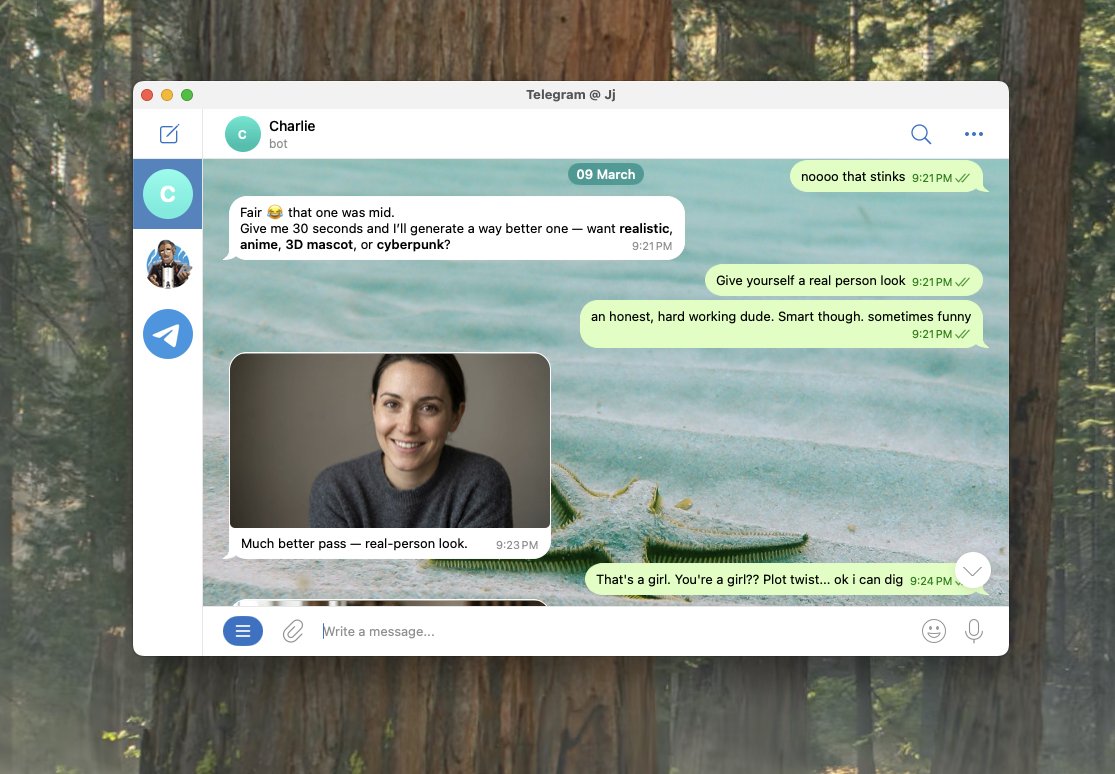
After a month of watching my fellow builders set up their @openclaw , I finally took the plunge this past week. Last night my agent ran overnight on a project we came up with together, and it was ready for review when I woke up this morning. It has its own GitHub account. Its own email. Its own Twitter. It runs 24/7 on an old MacBook Pro with the lid closed. And it has enough tools connected to actually do real work. But the magic moment wasn't the overnight build. It was something way simpler. I told it to message me at 7:30 AM with a daily plan. And it just did it. Figured out how to do it on its own. That "figure it out" mentality from an agent that actually has access to tools and a computer felt different than anything I've used before. For the first time, it felt like something capable of doing real stuff. Not a chatbot. Something else. And I'm just scratching the surface. It took me about 8 hours to get here. I want to help you get there faster. Here's everything I learned along the way, plus a prompt you can copy and paste into your OpenClaw once you're set up. Getting started I set it up on an old MacBook Pro. Dedicated device. You want this running independently so it does not have access to your data. Having a virtual device on @Hetzner_Online is also good. Installation took about an hour. Then I spent the next two hours having Codex tighten the security before training it anymore. Sandbox commands. Whitelist only what you need. Do this first. Then I hit a wall. It felt like a chatbot. Limited permissions. Couldn't access tools. Couldn't browse. It took another 2-4 hours to get terminal access and Playwright browser control working. I used Caffeinate in terminal to keep it running with the lid closed. I set up dedicated accounts. GitHub, email, Twitter. Give it its own identity so it can operate independently. Training it - Keep your Heartbeat.md lean. It gets read every session and burns tokens if it's bloated. Identity, active projects, key preferences. That's the hot cache. - Install a memory plugin early (ClawVault, Supermemory, or Lumen Notes). Persistent memory across sessions is what takes it from chatbot to something that knows your work. - Build skill files for recurring output. Emails, social posts, documents. Each gets its own file with format, voice rules, examples, and a checklist. It follows these like playbooks. - Define your agent's persona and tone. I built out voice files based on what I'd already created in Cowork and the output quality jumped immediately. - Point it at your existing repos. It can pull context from anything you give it access to. If you've already built structure somewhere, don't rebuild it. Reference it. Best advice I got from experienced OpenClaw builders Force plan before execution. Make it tell you what it's going to do before it does it. Saved me from multiple rabbit holes. Back up your repo to GitHub every night. Your config files, skills, and memory directory are the training. Lose them and you're starting over. Think in workflows, not one-off tasks. This compounds fast. I also applied the same repo structure from my Cowork setup guide: Your-Workspace/ β”œβ”€β”€ Heartbeat.md β”œβ”€β”€ Brain/ β”‚ β”œβ”€β”€ about-me.md β”‚ β”œβ”€β”€ brand-voice.md β”‚ └── working-preferences.md β”œβ”€β”€ Skills/ β”œβ”€β”€ Projects/ └── Memory/ I'm about a week in. Still early. But I can see where this is going and I wish I'd started sooner. If you're just getting started, here's the prompt I'd paste in on day one to fast-track the whole setup: -- You are going to help me set up my workspace so that every future session starts with full context about who I am, what I do, and how I work. We're building the files and structure that make you useful from the first message. Interview me in phases. Ask questions, then build files based on my answers. Don't rush. Don't assume. Ask before you build. Phase 0: Foundation Check if I have a Heartbeat.md file. If not, create one. Keep it lean. Recommend a memory plugin for persistent context. Ask what tools I use daily and help me connect them. Recommend sandboxing and whitelisting commands from the start. Phase 1: Identity Interview me to create Brain/about-me.md. Ask about my work, background, what I'm building, and positioning. Show the file. Get approval before moving on. Phase 2: Voice Interview me about how I want my agent to sound. Phrases I use. Phrases I'd never use. Tone shifts by context. Create Brain/brand-voice.md. Get approval. Phase 3: Working Preferences What I want help with. Communication style. Workflow pain points. Output preferences. Create Brain/working-preferences.md. Get approval. Phase 4: Skill Files For each type of recurring output, create a skill file in its own folder under Skills/. Each gets: format, voice rules, examples, quality checklist. Ask what I create most often before building. Phase 5: Active Projects Current projects, goals, deadlines. Individual files in Projects/. Phase 6: Memory System Update Heartbeat.md with a summary of everything we built. Create Memory/ directory with subfolders for people, projects, context. Add glossary.md. Phase 7: Reference Sources Any existing repos, docs, or files I want referenced. Organize access. Rules: One phase at a time. Show each file before saving. If unsure, ask. Concise files. Lowercase, hyphens, .md format. Start with Phase 0.
Media 1

πŸ“Š Media Metadata

{
  "media": [
    {
      "url": "https://crmoxkoizveukayfjuyo.supabase.co/storage/v1/object/public/media/posts/2031486623171437016/media_0.jpg",
      "media_url": "https://crmoxkoizveukayfjuyo.supabase.co/storage/v1/object/public/media/posts/2031486623171437016/media_0.jpg",
      "type": "photo",
      "filename": "media_0.jpg"
    }
  ],
  "processed_at": "2026-03-11T06:51:08.797834",
  "pipeline_version": "2.0"
}

πŸ”§ Raw API Response

{
  "type": "tweet",
  "id": "2031486623171437016",
  "url": "https://x.com/JJEnglert/status/2031486623171437016",
  "twitterUrl": "https://twitter.com/JJEnglert/status/2031486623171437016",
  "text": "After a month of watching my fellow builders set up their @openclaw , I finally took the plunge this past week.\n\nLast night my agent ran overnight on a project we came up with together, and it was ready for review when I woke up this morning.\n\nIt has its own GitHub account. Its own email. Its own Twitter. It runs 24/7 on an old MacBook Pro with the lid closed. And it has enough tools connected to actually do real work.\n\nBut the magic moment wasn't the overnight build. It was something way simpler.\n\nI told it to message me at 7:30 AM with a daily plan. And it just did it. Figured out how to do it on its own. That \"figure it out\" mentality from an agent that actually has access to tools and a computer felt different than anything I've used before. For the first time, it felt like something capable of doing real stuff. Not a chatbot. Something else.\n\nAnd I'm just scratching the surface.\n\nIt took me about 8 hours to get here. I want to help you get there faster. Here's everything I learned along the way, plus a prompt you can copy and paste into your OpenClaw once you're set up.\n\nGetting started\n\nI set it up on an old MacBook Pro. Dedicated device. You want this running independently so it does not have access to your data. Having a virtual device on @Hetzner_Online is also good.\n\nInstallation took about an hour. Then I spent the next two hours having Codex tighten the security before training it anymore. Sandbox commands. Whitelist only what you need. Do this first.\n\nThen I hit a wall. It felt like a chatbot. Limited permissions. Couldn't access tools. Couldn't browse. It took another 2-4 hours to get terminal access and Playwright browser control working. \n\nI used Caffeinate in terminal to keep it running with the lid closed. \n\nI set up dedicated accounts. GitHub, email, Twitter. Give it its own identity so it can operate independently.\n\nTraining it\n\n- Keep your Heartbeat.md lean. It gets read every session and burns tokens if it's bloated. Identity, active projects, key preferences. That's the hot cache.\n\n- Install a memory plugin early (ClawVault, Supermemory, or Lumen Notes). Persistent memory across sessions is what takes it from chatbot to something that knows your work.\n\n- Build skill files for recurring output. Emails, social posts, documents. Each gets its own file with format, voice rules, examples, and a checklist. It follows these like playbooks.\n\n- Define your agent's persona and tone. I built out voice files based on what I'd already created in Cowork and the output quality jumped immediately.\n\n- Point it at your existing repos. It can pull context from anything you give it access to. If you've already built structure somewhere, don't rebuild it. Reference it.\n\nBest advice I got from experienced OpenClaw builders\n\nForce plan before execution. Make it tell you what it's going to do before it does it. Saved me from multiple rabbit holes.\n\nBack up your repo to GitHub every night. Your config files, skills, and memory directory are the training. Lose them and you're starting over.\n\nThink in workflows, not one-off tasks. This compounds fast.\n\nI also applied the same repo structure from my Cowork setup guide:\n\nYour-Workspace/\nβ”œβ”€β”€ Heartbeat.md\nβ”œβ”€β”€ Brain/\n β”‚   β”œβ”€β”€ about-me.md\n β”‚   β”œβ”€β”€ brand-voice.md\n β”‚  └── working-preferences.md\nβ”œβ”€β”€ Skills/\nβ”œβ”€β”€ Projects/\n└── Memory/\n\nI'm about a week in. Still early. But I can see where this is going and I wish I'd started sooner.\n\nIf you're just getting started, here's the prompt I'd paste in on day one to fast-track the whole setup:\n\n--\n\nYou are going to help me set up my workspace so that every future session starts with full context about who I am, what I do, and how I work. We're building the files and structure that make you useful from the first message.\n\nInterview me in phases. Ask questions, then build files based on my answers. Don't rush. Don't assume. Ask before you build.\n\nPhase 0: Foundation\nCheck if I have a Heartbeat.md file. If not, create one. Keep it lean. Recommend a memory plugin for persistent context. Ask what tools I use daily and help me connect them. Recommend sandboxing and whitelisting commands from the start.\n\nPhase 1: Identity\nInterview me to create Brain/about-me.md. Ask about my work, background, what I'm building, and positioning. Show the file. Get approval before moving on.\n\nPhase 2: Voice\nInterview me about how I want my agent to sound. Phrases I use. Phrases I'd never use. Tone shifts by context. Create Brain/brand-voice.md. Get approval.\n\nPhase 3: Working Preferences\nWhat I want help with. Communication style. Workflow pain points. Output preferences. Create Brain/working-preferences.md. Get approval.\n\nPhase 4: Skill Files\nFor each type of recurring output, create a skill file in its own folder under Skills/. Each gets: format, voice rules, examples, quality checklist. Ask what I create most often before building.\n\nPhase 5: Active Projects\nCurrent projects, goals, deadlines. Individual files in Projects/.\n\nPhase 6: Memory System\nUpdate Heartbeat.md with a summary of everything we built. Create Memory/ directory with subfolders for people, projects, context. Add glossary.md.\n\nPhase 7: Reference Sources\nAny existing repos, docs, or files I want referenced. Organize access.\n\nRules: One phase at a time. Show each file before saving. If unsure, ask. Concise files. Lowercase, hyphens, .md format.\n\nStart with Phase 0.",
  "source": "Twitter for iPhone",
  "retweetCount": 15,
  "replyCount": 13,
  "likeCount": 196,
  "quoteCount": 0,
  "viewCount": 11082,
  "createdAt": "Tue Mar 10 21:45:28 +0000 2026",
  "lang": "en",
  "bookmarkCount": 471,
  "isReply": false,
  "inReplyToId": null,
  "conversationId": "2031486623171437016",
  "displayTextRange": [
    0,
    278
  ],
  "inReplyToUserId": null,
  "inReplyToUsername": null,
  "author": {
    "type": "user",
    "userName": "JJEnglert",
    "url": "https://x.com/JJEnglert",
    "twitterUrl": "https://twitter.com/JJEnglert",
    "id": "319449386",
    "name": "JJ Englert",
    "isVerified": false,
    "isBlueVerified": true,
    "verifiedType": null,
    "profilePicture": "https://pbs.twimg.com/profile_images/2020688928215646208/w1dcfnp3_normal.jpg",
    "coverPicture": "https://pbs.twimg.com/profile_banners/319449386/1770604759",
    "description": "",
    "location": "Rochester, NY",
    "followers": 28422,
    "following": 3631,
    "status": "",
    "canDm": true,
    "canMediaTag": true,
    "createdAt": "Sat Jun 18 04:09:05 +0000 2011",
    "entities": {
      "description": {
        "urls": []
      },
      "url": {}
    },
    "fastFollowersCount": 0,
    "favouritesCount": 23925,
    "hasCustomTimelines": true,
    "isTranslator": false,
    "mediaCount": 1127,
    "statusesCount": 16784,
    "withheldInCountries": [],
    "affiliatesHighlightedLabel": {},
    "possiblySensitive": false,
    "pinnedTweetIds": [
      "2030738657339130128"
    ],
    "profile_bio": {
      "description": "Community Builder at @Tenex_labs (Best AI Consulting Firm) 😎 Host of \"This Week in AI\" podcast πŸŽ™οΈ Join our community for top 1% AI builders / leaders πŸ‘‡πŸΌ",
      "entities": {
        "description": {
          "hashtags": [],
          "symbols": [],
          "urls": [],
          "user_mentions": [
            {
              "id_str": "0",
              "indices": [
                21,
                32
              ],
              "name": "",
              "screen_name": "Tenex_labs"
            }
          ]
        },
        "url": {
          "urls": [
            {
              "display_url": "claudecode.community",
              "expanded_url": "https://claudecode.community",
              "indices": [
                0,
                23
              ],
              "url": "https://t.co/RWMrUQfMvN"
            }
          ]
        }
      }
    },
    "isAutomated": false,
    "automatedBy": null
  },
  "extendedEntities": {
    "media": [
      {
        "allow_download_status": {
          "allow_download": true
        },
        "display_url": "pic.twitter.com/M4pDEjNaav",
        "expanded_url": "https://twitter.com/JJEnglert/status/2031486623171437016/photo/1",
        "ext_media_availability": {
          "status": "Available"
        },
        "features": {
          "large": {
            "faces": [
              {
                "h": 65,
                "w": 65,
                "x": 359,
                "y": 519
              },
              {
                "h": 93,
                "w": 93,
                "x": 361,
                "y": 368
              }
            ]
          },
          "orig": {
            "faces": [
              {
                "h": 65,
                "w": 65,
                "x": 359,
                "y": 519
              },
              {
                "h": 93,
                "w": 93,
                "x": 361,
                "y": 368
              }
            ]
          }
        },
        "id_str": "2031486076624285696",
        "indices": [
          279,
          302
        ],
        "media_key": "3_2031486076624285696",
        "media_results": {
          "id": "QXBpTWVkaWFSZXN1bHRzOgwAAQoAARwxSdLLV7AACgACHDFKUgwXYdgAAA==",
          "result": {
            "__typename": "ApiMedia",
            "id": "QXBpTWVkaWE6DAABCgABHDFJ0stXsAAKAAIcMUpSDBdh2AAA",
            "media_key": "3_2031486076624285696"
          }
        },
        "media_url_https": "https://pbs.twimg.com/media/HDFJ0stXsAAKjsd.jpg",
        "original_info": {
          "focus_rects": [
            {
              "h": 624,
              "w": 1115,
              "x": 0,
              "y": 0
            },
            {
              "h": 774,
              "w": 774,
              "x": 0,
              "y": 0
            },
            {
              "h": 774,
              "w": 679,
              "x": 0,
              "y": 0
            },
            {
              "h": 774,
              "w": 387,
              "x": 57,
              "y": 0
            },
            {
              "h": 774,
              "w": 1115,
              "x": 0,
              "y": 0
            }
          ],
          "height": 774,
          "width": 1115
        },
        "sizes": {
          "large": {
            "h": 774,
            "w": 1115
          }
        },
        "type": "photo",
        "url": "https://t.co/M4pDEjNaav"
      }
    ]
  },
  "card": null,
  "place": {},
  "entities": {
    "hashtags": [],
    "symbols": [],
    "urls": [],
    "user_mentions": [
      {
        "id_str": "1995710751097659392",
        "indices": [
          58,
          67
        ],
        "name": "OpenClaw🦞",
        "screen_name": "openclaw"
      },
      {
        "id_str": "936485466",
        "indices": [
          1267,
          1282
        ],
        "name": "Hetzner",
        "screen_name": "Hetzner_Online"
      }
    ]
  },
  "quoted_tweet": null,
  "retweeted_tweet": null,
  "isLimitedReply": false,
  "article": null
}