@llama_index
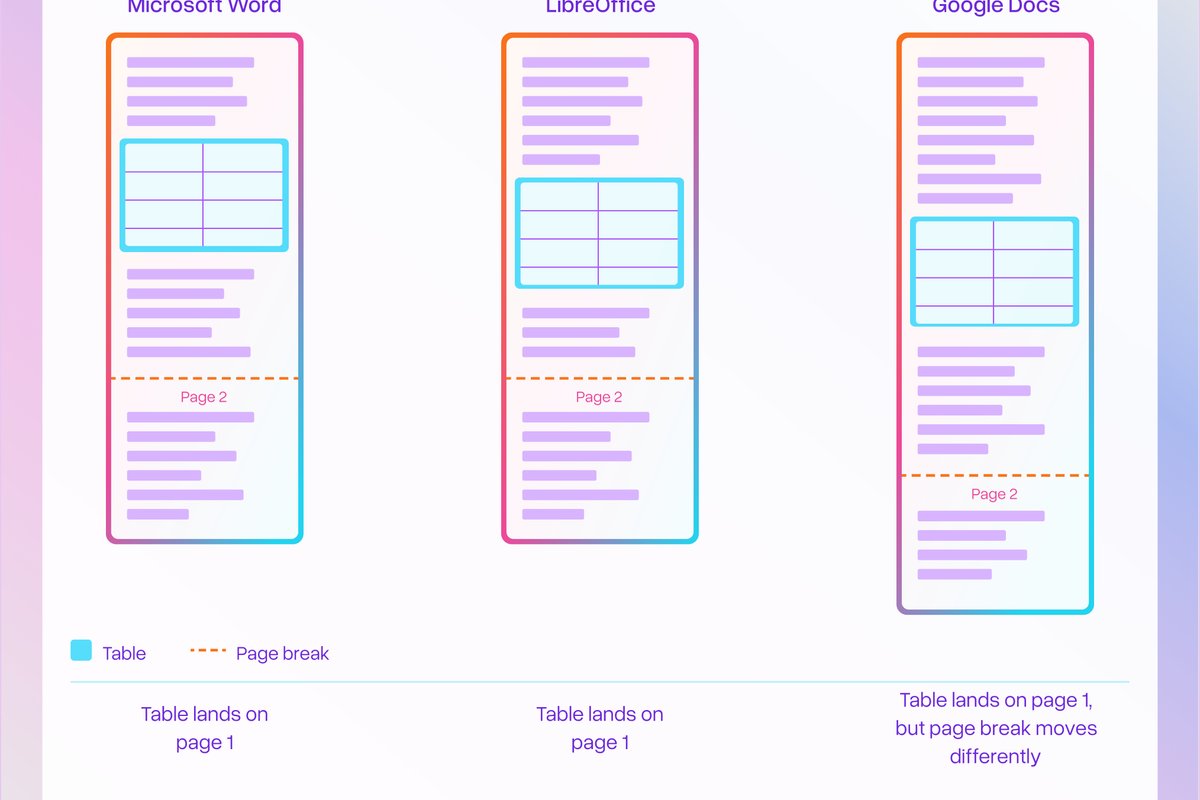
Word docs are one of the most common file formats people process in LlamaParse, and they've always been surprisingly frustrating to parse well. Here's the counterintuitive part: .docx actually has better structural information than most document formats. We just haven't been able to fully use it. Until now. A .docx file is a ZIP archive of XML files. That XML knows everything: cell boundaries, merged cells, column and row spans, nested tables, formatting tags, hyperlinks. A PDF of the same table has none of that. It's just text positioned at coordinates and line intersections that a parser has to reverse-engineer into structure. The hard part with Word XML isn't extracting the table content. It's knowing which page it's on. Word is a flow format — there are no page boundaries in the XML. Pagination depends on the renderer, fonts, margins, line-height. The same .docx renders differently in Word, LibreOffice, and Google Docs. We built a technique to resolve this, mapping Word XML table elements to their correct page positions in the rendered output. We now get the original document structure AND know exactly where each table appears. The quality improvement is most significant for: · Tables with rich cell formatting (bold, italic, strikethrough, superscript, lists inside cells) · Merged cells and column/row spans · Nested tables (tables inside table cells) If you're processing Word docs with table-heavy content, try it out. 📖 Full writeup: https://t.co/aAEFkvfycG